Final Portfolio
During my time enrolled in EDCI 339, I learned all about how multimedia, design, and storytelling can impact education and shape learning experiences. In this portfolio, I will examine the three main assignments I completed this semester: the weekly Daily Creates, my Multimedia Draft, and my Multimedia Story. Here, I will reflect on how each project gave me an opportunity to learn and how I have met the course learning outcomes. Through these reflections, I will demonstrate how the skills and knowledge I gained throughout the semester helped me deepen my understanding of effective multimedia learning design.
Daily Creates
Each week, I used the Daily Create website to complete short activities related to multimedia. For me, the daily creates were a really great tool that allowed me to be creative and explore multimedia and design thinking in a low-stakes environment. These activities got me to work on a bunch of different mediums over the semester, which included: Text, Audio, Image, Multimedia, and Data Visualization. By using Mayer’s principles of multimedia learning, I was able to really relate the course objectives to these small activities and also understand the importance of communicating ideas and information through multimedia instead of just text.
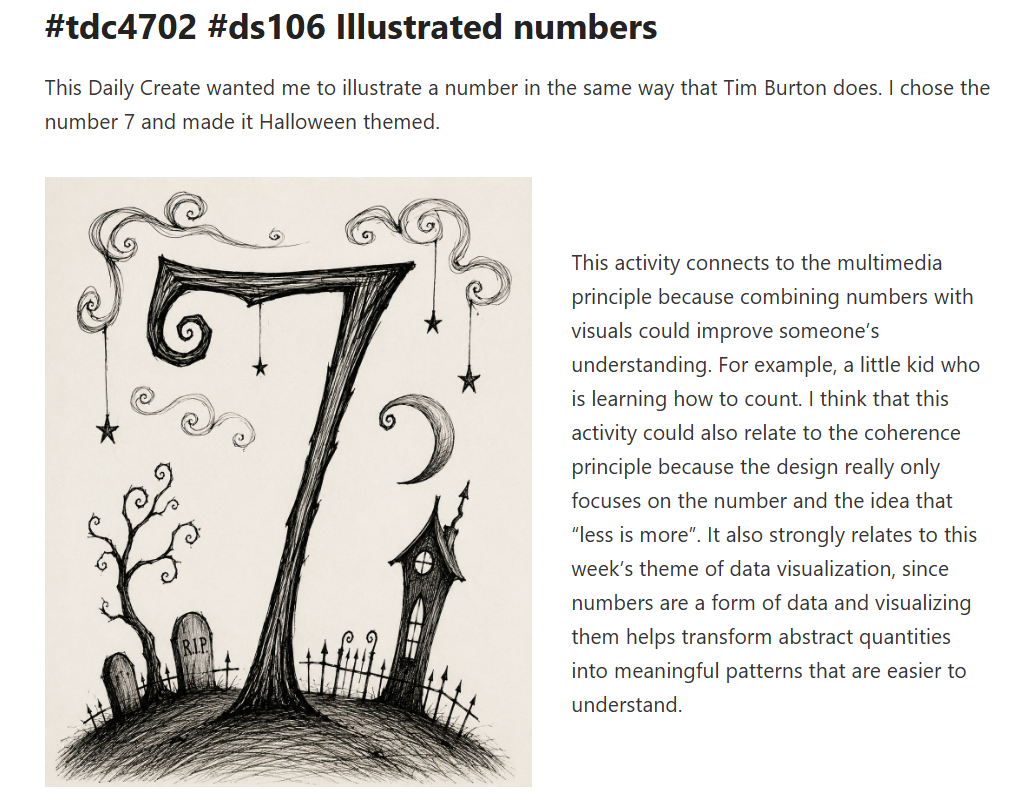
One example that stands out to me was the Illustrated Numbers Daily Create, where I took a number and turned it into a visual design. This activity was meant to be my interpretation of data visualization in a Daily Create. Ultimately, transforming something like a number into a picture helped me understand how visual elements can communicate meaning and capture attention in educational settings. This relates to Outcome 1 because this daily create helped me contextualize how visual design choices influence engagement and understanding.
Completing my weekly Daily Creates also fits into Outcome 6: generating prototype artifacts. Over the semester, these activities got me to be creative and come up with lots of different multimedia items like images, drawings, videos, and more. Here I could practice using multimedia and design principles before using them in my bigger projects, like my Multimedia Story.
Lastly, I used generative AI appropriately as a tool for completing my Daily Create activities, which connects to Outcome 7. There were a few times, like in my Daily Create Illustrate the Idiom, where I used AI to help me visualize my ideas. In this example, I made sure not to use AI to do my work but instead used it as a tool. I made sure to still be engaged with my design ideas, concept choices, and be responsible with the prompts I came up with. This experience specifically helped me better understand both the possibilities and limitations of AI as a creative tool in educational settings.
Overall, my weekly Daily Creates let me comfortably explore multimedia themes and principles. I got lots of opportunities to be creative and challenge learning outcomes in a non-traditional way. Thanks, Colin, for the great idea to include Daily Creates in this course!
Multimedia Draft
My Multimedia Draft was our first “bigger” assignment in the course. For my draft, I explained how I wanted my story to follow a hike with my friend and our dogs. I shared that I wanted the story to follow the progression of our hike from start to finish and include reflections of the journey. Using this draft as a starting point was a great opportunity to work on my planning skills and think about how multimedia can enhance storytelling.
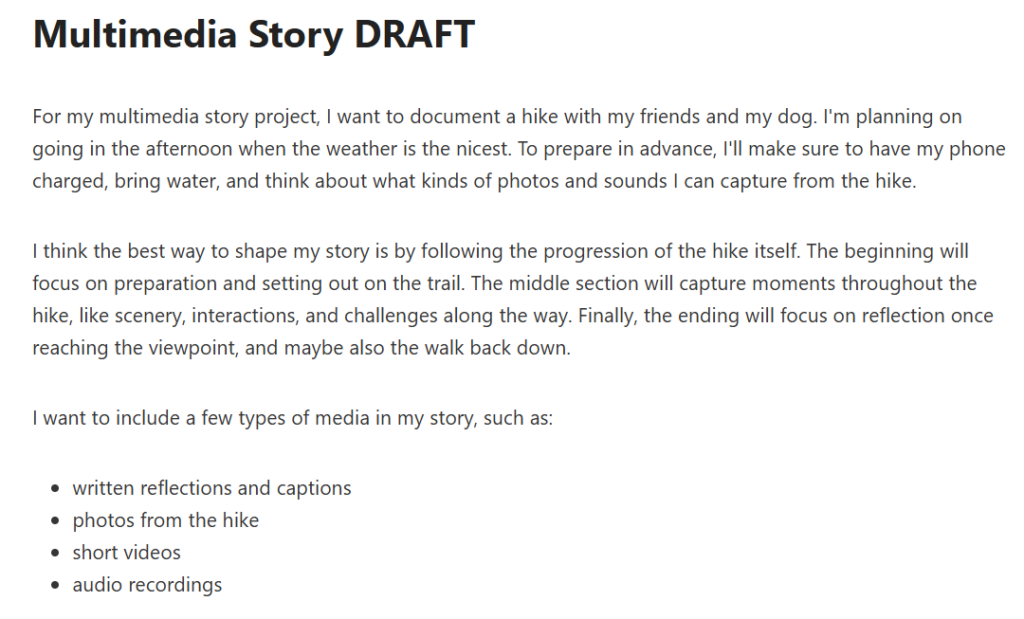
My Multimedia draft was an excellent example of Outcome 3: Engaging in the design thinking process. Before I could even start making my multimedia story, I had to think about how I would use Mayer’s Principles, who was going to be reading my story, what I wanted to capture, and how I wanted to convey my story. This draft really showed me how important it is to plan with intention before starting a project.
Another hugely important part of building my draft was identifying how I would incorporate Mayer’s principles, which directly relate to Outcome 2 of applying multimedia design principles. To be specific, I planned to use the coherence principle by selecting only photos, videos, and audio that meaningfully contributed to the story, while also avoiding unnecessary content or media that might be distracting. I also planned to use the signalling principle by organizing the story into sections so viewers could easily follow the progression of the hike. Additionally, I considered the contiguity principle by thinking about how I would place captions and reflections close to the images they referenced.
Additionally, my draft was the start of Outcome 4: Applying storytelling principles. In my draft, I started thinking about the structure of my story and the sequence of events. But I will say that I think this outcome was demonstrated more fully in my final Multimedia story. However, the draft was still super important because it helped me understand how storytelling and multimedia can influence the experience of people viewing my story.
Completing the draft portion of my Multimedia story showed me that planning is a crucial step towards a successful project. This process had me thinking all about multimedia design, my audience, and storytelling techniques. I think that I did a really good job of applying course concepts and ideas in my draft, which allowed me to have a successful and effective final story.
Multimedia Final
My Multimedia story was the big final “Ka-boom” of EDCI 337. This project was a final culmination of all the principles and theories of multimedia and design that I’ve learned over the progression of this course. My story followed a hike that I went on with my friend and our dogs. While the adventure was pretty simple, this assignment showed me how I can use photos, videos, audio, and text to tell a complete and engaging story.
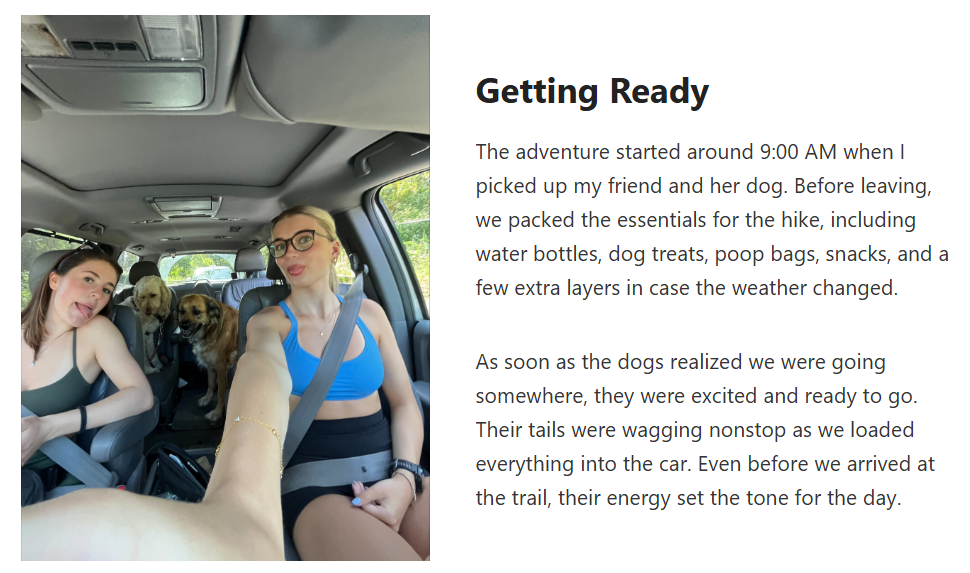
Probably the main thing that I took away from this project was learning that when multimedia has a purpose, it can aid and enhance learning and storytelling, which directly relates to Outcome 1. To be specific, the text in my assignment helped guide the story and give context to the other media items that I included; however, the pictures, videos, and audio all captured details that blocks of text wouldn’t have been able to. For example, the video I added of my dog rolling in the grass showed the energy of our hike and added visual movement to the story. The audio clip I included of us walking through the trail also added to the whole experience because it made the story more immersive. Overall, my Multimedia Story showed me how educators can use different types of media to create a richer learning experience.
This project also helped me reach Outcome 2 by having me apply multimedia design principles. Specifically, I made intentional decisions about what media to include instead of adding every photo or video I captured. This reflected Mayer’s Coherence Principle because I avoided including unnecessary content that could be distracting. I also applied the Signalling Principle by dividing the story into sections such as “Getting Ready,” “Following the Trail,” and “Heading Back.” These headings helped organize the content and made it easier to follow. Additionally, I used the Spatial Contiguity Principle by placing media directly beside the text it supported, which allowed viewers to connect the visuals with the written reflections without having to search the blog page. These are just a few examples of how I used multimedia design principles in my Multimedia Story.
Here, I also demonstrated Outcome 3 through the design thinking process. When I finished writing my draft, I shared it with my learning pod, who told me that I needed to include more specific examples about how I would use Mayor’s Multimedia principles. They also suggested that I use captions for my photos to improve accessibility, which I was able to do for a couple of photos. Really, this portion of the assignment showed me why reflection, feedback, and revision are all important steps in achieving a strong final product.
As this project was a story, it’s obvious that it connects with Outcome 5 of Storytelling. In my case, I organized my story chronologically. This gave the story a clear structure and narrative. I started by including moments before the hike even began, then moved on to peak moments, and finally, a reflection at the end. I think by formatting it this way, I was able to keep my audience engaged. For me, this project helped me connect with the idea that storytelling can be used as a really cool way to connect experiences with information, which could be super useful in education.
Lastly, my Multimedia story got me to make a complete multimedia artifact, which fulfills Outcome 6. For most of the course, I made small multimedia pieces like my Daily Creates, but my story was really the real deal, where I got to put everything that I’ve learned together. Using lots of media in the project meant that I had to do a good job of planning to make sure that everything worked together cohesively to create an effective story.
Looking back, EDCI 337 taught me a lot about how we can use multimedia and design to support learning. The Daily Creates, Multimedia Draft and story all showed me different ways to explore and apply multimedia design principles, engage in the design process, and reflect on how storytelling can be a useful tool in education. After taking this course, I know that I can now be more intentional about how I can use media to support my own learning and education. I also think that I can use some of the skills that I’ve learned and translate them into other courses and projects.